
How to Play Content on a Vertical Screen
Juuno supports both landscape (horizontal) and portrait (vertical) displays. If your screen is mounted vertically, you can configure both the playlist layout and the screen orientation so your content displays correctly.
Follow the steps below to design your playlist and configure your screen for vertical playback.
1. Design Your Playlist for a Vertical Layout
Before configuring the screen itself, you can preview your playlist scenes in a vertical layout.
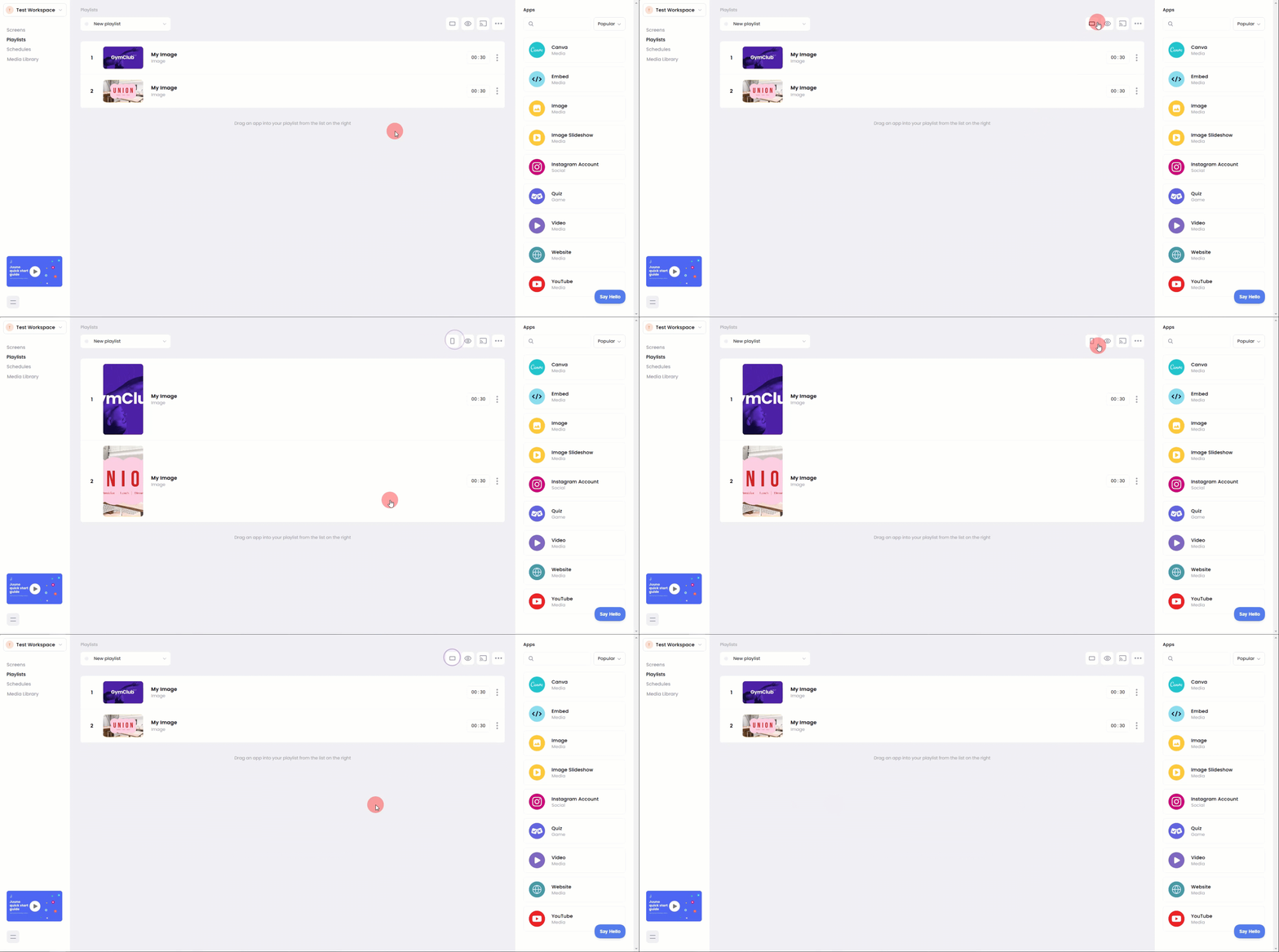
Open your playlist
Locate the Landscape / Portrait toggle.
Click the Landscape button to switch the preview to Portrait mode.
Arrange your scenes so they look correct in the vertical layout.
This view allows you to design content specifically for vertical screens.
This is only a design preview and does not change the orientation of your actual screen.
2. Change the Orientation of Your Screen
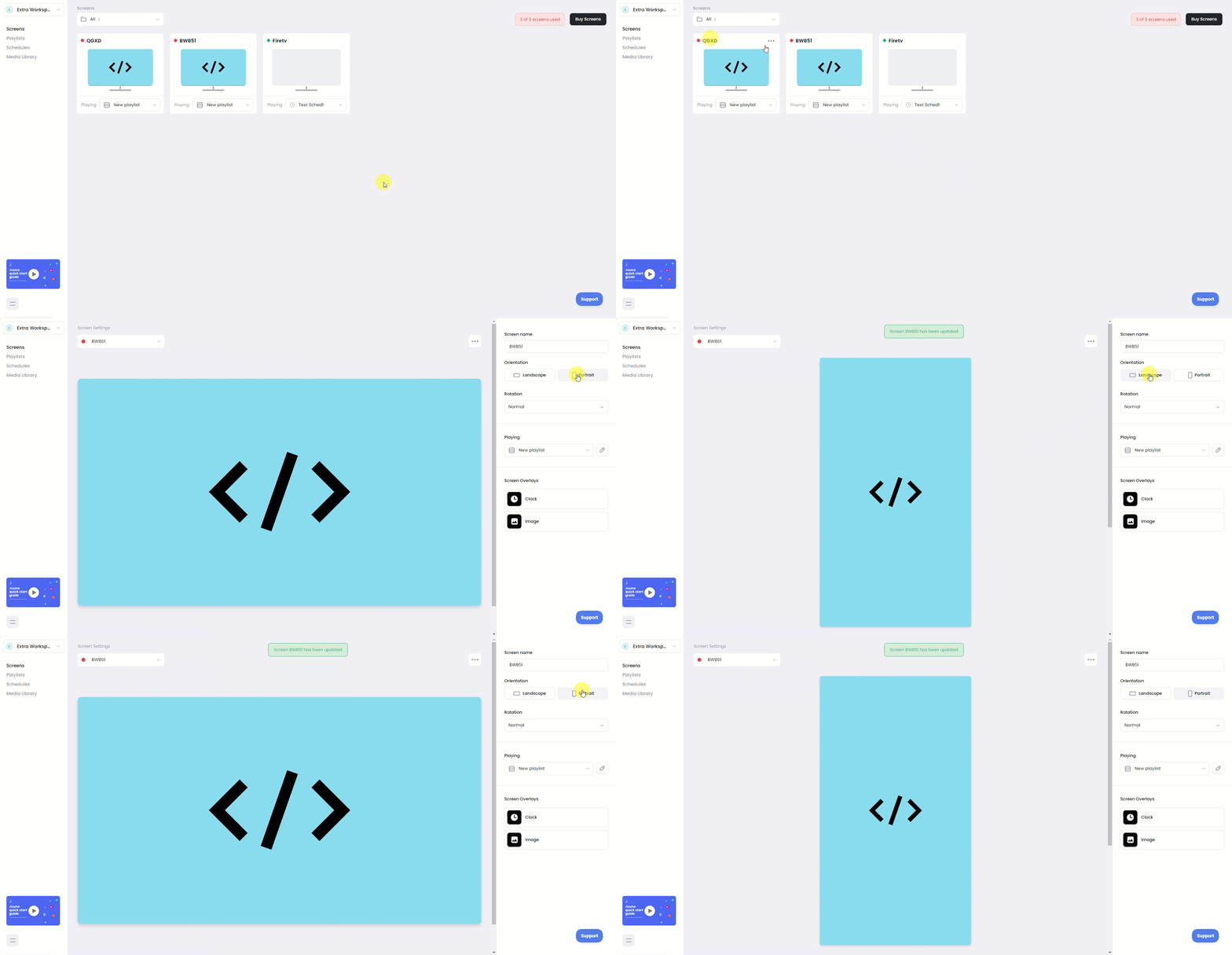
After connecting your screen, you need to update the screen orientation.
Go to your Screens page:
https://app.juuno.co/screensSelect the screen you want to configure.
Open the screen edit page.
In the Orientation settings, choose:
Portrait for vertical displays, or
Landscape for horizontal displays.
If needed, use the rotation option to adjust the display direction.
Once saved, your screen will play the playlist using the selected orientation.
Tips for Vertical Screens
When designing content for vertical displays:
Use portrait-oriented images and videos when possible.
Avoid placing important text near the top or bottom edges.
Preview your playlist in portrait mode to ensure scenes display correctly.
These adjustments help ensure content appears properly on tall digital signage displays.
When to Use Vertical Screens
Vertical displays are commonly used for:
Retail signage
Menu boards
Event displays
Wayfinding screens
Social media walls
Designing your playlist in portrait mode helps ensure your content fits naturally on these types of screens.